Back to Templates
Update Starter: Subscriptions and Auth for SaaS
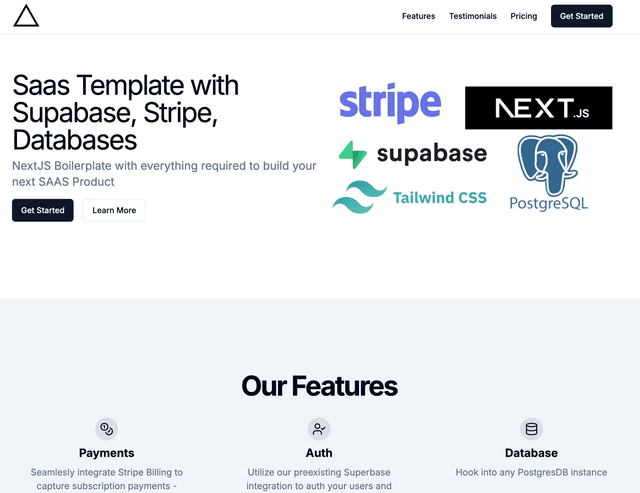
A full-stack Next.js template with built-in authentication, billing, and entitlements — powered by Update, Supabase, and Stripe.
This template is unavailable
⚡ Features
- 💳 Subscriptions — Stripe billing with checkout, portals, trials, and failed payment recovery
- 🔐 Authentication — Supabase auth with Update-powered extensions (e.g., magic links, redirects)
- 🔓 Entitlements — Easy access control by plan, org, or user role
- ⚙️ Full-stack ready — App Router, Middleware, Client, and Server usage supported
- 🎨 UI — Built with Tailwind CSS and shadcn/ui
🔗 Demo
Live demo: nextjs-supabase-stripe-update.vercel.app
🚀 Deploy to Vercel
Click the button below to instantly deploy the template and set up Update and Supabase:
🛠️ Local Setup
1. Clone the project
git clone https://github.com/updatedotdev/nextjs-supabase-stripe-update.git cd nextjs-supabase-stripe-update2. Install dependencies
npm installor
pnpm install3. Configure environment variables
Create a .env.local file based on the provided example:
cp .env.example .env.localFill in values from:
NEXT_PUBLIC_UPDATE_PUBLIC_KEY=...NEXT_PUBLIC_SUPABASE_URL=...NEXT_PUBLIC_SUPABASE_ANON_KEY=...4. Run the dev server
npm run devOpen http://localhost:3000 in your browser to view the app.
📦 What's Included
- 🔌 Update Client Setup:
utils/update/client.ts— for browser-side usageutils/update/server.ts— for server-side usage
- 🧠 Entitlements Checks:
- Example usage of
client.entitlements.check()to conditionally render UI
- Example usage of
- 💳 Billing Integration:
- Stripe Checkout & Customer Portal
- Cancel/reactivate subscriptions
- Usage-based plans (coming soon)
🧩 Tech Stack
🤝 Support
- 📚 Full documentation
- 💬 Join our Discord
- 🐛 Found a bug? Open an issue
📄 License
MIT